
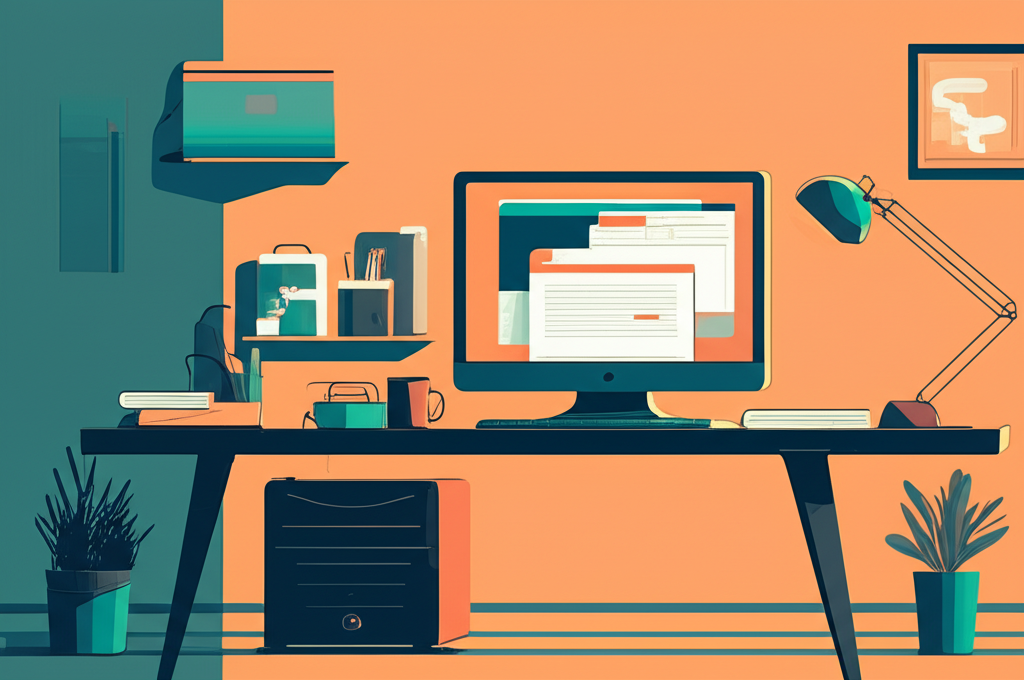
In today’s fast-paced work environment, maximizing every square inch of your workspace has become essential for maintaining focus and efficiency. Whether you’re working from a small apartment, a corner of your bedroom, or simply prefer a minimalist approach, a compact desk setup doesn’t mean you have to sacrifice productivity. In fact, a well-organized small workspace can often outperform larger, cluttered alternatives by keeping everything you need within arm’s reach and eliminating unnecessary distractions.
The key to creating an effective compact desk layout lies in strategic planning and smart organization. It’s not about cramming as much as possible into a tight space—it’s about carefully curating the items you truly need and arranging them in a way that supports your workflow. From vertical storage solutions to multi-functional furniture pieces, the right approach can transform even the smallest desk area into a powerhouse of productivity.
In this comprehensive guide, we’ll explore innovative compact desk layout ideas that will help you optimize your limited workspace while enhancing your daily performance. You’ll discover practical tips for furniture selection, storage optimization, ergonomic considerations, and creative design solutions that prove you don’t need a sprawling executive desk to get things done efficiently. Let’s dive into the world of smart, space-saving workstations that work as hard as you do.
Understanding the Psychology Behind Compact Workspaces
Before diving into specific layout strategies, it’s important to understand why compact desk arrangements can actually enhance productivity. Research in environmental psychology suggests that smaller, well-defined workspaces help create mental boundaries between work and personal life, which is especially crucial for home-based workers. A compact desk layout forces you to be intentional about what occupies your workspace, naturally eliminating clutter and the cognitive overload that comes with it.
The principle of “less is more” applies perfectly to desk organization. When your workspace contains only essential items, your brain expends less energy processing visual information, leaving more mental resources available for actual work tasks. Studies show that visual clutter competes for attention and decreases working memory performance, making a streamlined compact desk not just a space-saving solution but a cognitive enhancement tool.
Essential Elements of an Effective Compact Desk Layout
The Right Desk Size and Shape
Selecting the appropriate desk is the foundation of any compact workspace. Corner desks are excellent space-savers, utilizing areas that might otherwise go unused while providing ample surface area. L-shaped configurations offer the benefit of separate zones for computer work and writing or paperwork. For extremely tight spaces, wall-mounted fold-down desks provide functionality when needed and disappear when work is complete.
Standard desk depths range from 24 to 30 inches, but for compact setups, consider desks between 20 and 24 inches deep. This depth is sufficient for a monitor and keyboard while conserving floor space. Width should be determined by your primary activities—writers and digital workers can function well with 40-48 inches, while those needing space for physical materials might require 55-60 inches.
Vertical Storage Solutions
When horizontal space is limited, thinking vertically becomes crucial. Wall-mounted shelving above or beside your desk dramatically increases storage capacity without consuming valuable desk surface area. Floating shelves create storage while maintaining an open, uncluttered appearance that helps small spaces feel larger.
Pegboard systems offer exceptional versatility for compact workspaces. These customizable storage solutions allow you to hang frequently used items like scissors, headphones, and cables, keeping them accessible yet off the desk surface. Desktop hutches and monitor stands with integrated storage compartments add vertical organization while raising your screen to a more ergonomic height.
Strategic Organization for Maximum Efficiency
The Zone System Approach
Implementing a zone-based organization system helps maximize the functionality of limited desk space. Divide your compact workspace into three primary zones: the primary work zone directly in front of you, a secondary zone within easy reach, and a reference zone for items used less frequently.
Your primary zone should contain only items used constantly—keyboard, mouse, and perhaps a notepad. The secondary zone, extending to arm’s length on both sides, holds materials accessed regularly throughout the day like pens, phones, or frequently referenced documents. The reference zone includes items used occasionally but still needed nearby, which can occupy shelving or drawer space.
Cable Management Strategies
Nothing disrupts the clean aesthetic of a compact desk layout faster than tangled cables. Implementing proper cable management is essential for both visual appeal and functionality. Cable clips adhered to the desk edge keep charging cables accessible but controlled. Cable sleeves bundle multiple cords together, creating a single streamlined pathway rather than a web of individual wires.
Under-desk cable trays or raceways hide power strips and excess cable length, maintaining a clean desktop while keeping electrical connections safely organized. Wireless peripherals—keyboards, mice, and headphones—eliminate cables entirely, though they require occasional charging considerations.
Ergonomic Considerations for Small Spaces
Productivity suffers when physical discomfort interrupts focus. Even in compact setups, maintaining proper ergonomics is non-negotiable. Your monitor should be positioned at arm’s length distance with the top of the screen at or slightly below eye level. This typically requires a monitor stand or mounted arm, which also creates valuable storage space underneath.
Keyboard and mouse placement should allow your elbows to rest at approximately 90-degree angles while your wrists remain neutral. Compact ergonomic keyboards, which eliminate the numeric keypad, provide full functionality while requiring less desk depth. For tight spaces, consider vertical mice that promote a more natural hand position while occupying a smaller footprint.
Seating deserves special attention even when desk space is limited. A properly adjusted chair supports productivity through comfort. If space constraints make traditional office chairs impractical, consider backless ergonomic stools or active sitting solutions that require less clearance while promoting core engagement and posture awareness.
Multi-Functional Furniture and Accessories
Maximizing compact workspace productivity often requires furniture that serves multiple purposes. Desk organizers with built-in charging stations consolidate device storage and power supply into a single compact unit. Monitor stands with integrated drawers provide screen elevation and storage simultaneously.
Rolling file cabinets serve double duty as both storage and additional work surface when topped with a cushion or board. These mobile units can be tucked under desks when not in use, then pulled out to expand your workspace for specific projects. Similarly, nesting side tables provide flexible surface area that can be deployed when needed and stowed when space is at a premium.
Lighting Solutions for Compact Workspaces
Proper lighting directly impacts productivity, eye strain, and mood. In compact desk layouts, lighting must be carefully planned to avoid consuming precious space. Clip-on LED lamps attach to desk edges or shelves, providing targeted illumination without requiring surface area. Wall-mounted swing-arm lamps offer adjustable task lighting while keeping the desk completely clear.
Consider the color temperature of your workspace lighting. Cooler light temperatures around 5000K promote alertness and are ideal for detailed work, while warmer temperatures near 3000K create a more relaxed atmosphere suitable for creative tasks. Dimmable options allow you to adjust lighting based on time of day and task requirements.
Personalizing Without Cluttering
A productive workspace should feel personally meaningful, not sterile, but personalization in compact areas requires restraint. Select one or two meaningful items—a small plant, a favorite photograph, or an inspirational object—to create connection without consuming space or creating visual chaos.
Succulents and air plants add life to workspaces while requiring minimal care and space. A single piece of meaningful artwork positioned at eye level when seated provides visual interest without cluttering the desk surface. The goal is creating an environment that feels uniquely yours while maintaining the functional clarity that makes compact workspaces productive.
Maintaining Your Compact Workspace
The efficiency of a compact desk layout depends on consistent maintenance. Implement a daily clearing routine where everything returns to its designated location at workday’s end. This five-minute investment prevents the gradual accumulation that transforms organized spaces into cluttered ones.
Regular audits of workspace contents ensure only truly necessary items remain. Monthly reviews help identify unused materials that can be relocated, creating space for current priorities. Digital organization parallels physical tidiness—maintaining organized computer files prevents the frustration of searching through digital clutter, preserving the productivity your physical workspace optimization provides.
Conclusion: Creating Your Ideal Compact Workspace
Transforming a limited area into a highly productive workspace is entirely achievable with thoughtful planning and strategic design choices. Throughout this guide, we’ve explored how compact desk layouts offer more than just space-saving benefits—they provide psychological advantages by reducing visual clutter, creating clear mental boundaries, and enhancing focus through intentional organization.
The key principles for an effective compact workspace include selecting appropriately sized desks that match your specific work requirements, maximizing vertical storage to keep surfaces clear, and implementing a zone-based organization system that places frequently used items within easy reach. Proper cable management, ergonomic considerations, and multi-functional furniture further enhance both the functionality and comfort of your workspace, ensuring that limited square footage doesn’t compromise your productivity or physical well-being.
Remember that effective lighting, thoughtful personalization, and consistent maintenance routines are equally important elements in sustaining a productive compact workspace. The strategic use of wall-mounted solutions, wireless technology, and modular furniture allows your workspace to adapt to changing needs without requiring additional space.
The beauty of a well-designed compact desk layout lies in its simplicity and intentionality. By keeping only essential items within your workspace and carefully organizing everything else, you create an environment that supports deep focus and efficient workflow. The reduced visual distractions and streamlined organization actually enhance cognitive performance, proving that smaller spaces can indeed lead to bigger productivity gains.
Now it’s time to put these ideas into action. Start by evaluating your current workspace and identifying which elements are consuming valuable space without contributing to your productivity. Choose one or two strategies from this guide that resonate with your specific needs—whether it’s implementing vertical storage, reorganizing your desk into functional zones, or finally tackling that cable chaos. Small, deliberate changes compound over time, transforming cramped, cluttered desks into streamlined productivity hubs.
Share your compact workspace transformation with others who might benefit from these ideas, and remember that creating an effective workspace is an ongoing process of refinement. As your work evolves, so too should your desk layout, always maintaining that balance between functionality, comfort, and the intentional simplicity that makes compact workspaces so effective.
