
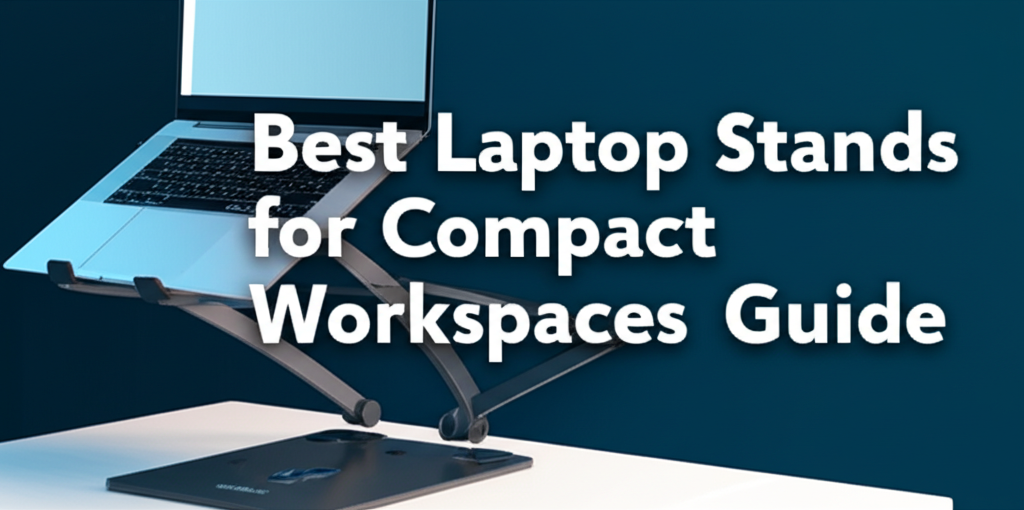
Working from a compact space doesn’t mean you have to sacrifice comfort or productivity. Whether you’re setting up shop in a cozy apartment, a small bedroom corner, or a minimalist desk area, the right laptop stand can transform your cramped workspace into an ergonomic powerhouse. The challenge isn’t just about finding any laptop stand—it’s about discovering one that maximizes vertical space, enhances airflow, and promotes healthy posture without cluttering your already limited surface area.
Many remote workers and students struggle with neck strain, poor posture, and overheating laptops simply because they’re working directly on their devices without proper elevation. In tight quarters, these problems become even more pronounced as you’re often forced to adapt your body to fit the space rather than the other way around. A well-chosen laptop stand addresses these issues while taking up minimal real estate on your desk, creating a more efficient and comfortable working environment.
This comprehensive guide explores the best laptop stands specifically designed for compact workspaces, examining features that matter most when space is at a premium. From foldable designs that tuck away when not in use to multi-functional stands that incorporate storage solutions, we’ll help you find the perfect match for your space constraints and working style. Get ready to discover how a simple addition to your setup can dramatically improve your daily comfort and productivity, regardless of how small your workspace might be.
Why Laptop Stands Matter in Small Spaces
When you’re working with limited desk space, every square inch counts. Laptop stands serve multiple critical functions that become even more valuable in compact environments. First, they elevate your screen to eye level, reducing the forward head posture that leads to chronic neck and shoulder pain. Research from ergonomics specialists indicates that for every inch your head tilts forward, your neck supports an additional 10 pounds of pressure.
Beyond ergonomics, laptop stands improve device performance by promoting better airflow around your computer. Laptops generate significant heat during operation, and when placed flat on a desk, their ventilation systems struggle to dissipate warmth effectively. This thermal buildup can throttle performance and shorten your device’s lifespan. A quality stand creates space underneath your laptop, allowing cool air to circulate and hot air to escape efficiently.
In compact workspaces, laptop stands also create valuable vertical storage opportunities. The area beneath an elevated laptop can accommodate keyboards, notebooks, charging cables, or other accessories that would otherwise clutter your limited desk surface. This vertical organization strategy helps maintain a clean, focused work environment even in the smallest spaces.
Essential Features for Space-Saving Laptop Stands
Adjustable Height and Angle
The ability to customize your laptop’s position is non-negotiable for proper ergonomics. Look for stands offering multiple height settings, ideally ranging from 2 to 6 inches of elevation. This flexibility allows you to align your screen with your natural eye level, whether you’re sitting on a standard office chair, a bar stool, or working from a standing position. Angle adjustment is equally important, as it enables you to reduce screen glare from windows or overhead lighting while maintaining comfortable viewing angles.
Foldable and Portable Design
In compact spaces, the ability to reclaim your desk surface when not working is invaluable. Foldable laptop stands collapse to a fraction of their working size, typically no thicker than a notebook. This portability also benefits those who split time between multiple locations or occasionally work from cafes, libraries, or coworking spaces. Weight becomes a consideration here—the best portable stands weigh between 8 ounces and 2 pounds, light enough to carry comfortably without sacrificing stability.
Stability and Weight Capacity
A wobbly stand defeats its own purpose by making typing difficult and potentially damaging your expensive laptop. Quality stands support at least 10 to 15 pounds, easily accommodating even larger 17-inch gaming laptops or workstations. Look for stands with rubberized or silicone padding on both the base and the laptop contact points. These materials prevent slipping while protecting your device from scratches and your desk from scuff marks.
Types of Laptop Stands for Compact Workspaces
Minimalist Vertical Stands
These ultra-slim designs hold your closed laptop vertically, freeing up nearly all your desk space. Vertical stands work exceptionally well when using your laptop with an external monitor, keyboard, and mouse. They typically occupy just 1 to 2 inches of desk depth and can accommodate multiple devices simultaneously. This configuration is ideal for creative professionals who need dual screens but have minimal desk real estate. The vertical orientation also showcases your laptop aesthetically while keeping it easily accessible.
Tilted Platform Stands
These simple yet effective designs consist of a single angled platform that elevates your laptop’s rear edge. Most tilted stands raise the back of your laptop by 2 to 4 inches, creating a comfortable typing angle while improving screen visibility. Their minimal footprint—often no larger than the laptop itself—makes them perfect for truly cramped quarters. Many models feature built-in cable management channels that keep charging cords and peripherals organized and out of sight.
Multi-Functional Hub Stands
For those seeking maximum utility from minimal space, hub stands integrate laptop elevation with additional functionality. These innovative designs incorporate features like built-in USB ports, card readers, external storage mounting, or even wireless charging pads for phones. By consolidating multiple functions into a single device, hub stands reduce desktop clutter while expanding your laptop’s capabilities. Some premium models include integrated docking station functionality, transforming your portable laptop into a complete desktop workstation with a single connection.
Arm-Mounted and Clamp Stands
When desk space is virtually non-existent, arm-mounted stands offer a radical solution by eliminating the footprint entirely. These stands clamp to your desk edge and position your laptop on an articulating arm, similar to monitor mounts. This approach provides maximum adjustability—you can position your screen at virtually any height, distance, or angle. The clamp mechanism typically requires 1 to 3 inches of desk thickness and a stable edge, making it suitable for most standard desks but potentially problematic for glass or very thin surfaces.
Material Considerations and Durability
The construction material significantly impacts both the stand’s performance and its suitability for small spaces. Aluminum stands dominate the market due to their excellent strength-to-weight ratio, heat dissipation properties, and sleek aesthetic. They typically weigh less than plastic alternatives while providing superior stability and durability. The metal construction also helps draw heat away from your laptop, contributing to better thermal management.
Plastic stands offer affordability and can work well for lighter laptops and budget-conscious buyers. However, they may flex under heavier loads and generally lack the premium feel and heat-conducting benefits of metal options. Wooden stands present an aesthetic middle ground, blending functionality with natural warmth that complements Scandinavian or minimalist decor. Bamboo, in particular, has gained popularity for its sustainability, lightweight properties, and surprising strength.
Matching Stand Type to Your Working Style
Your specific work habits should guide your stand selection. Writers and data entry specialists who type extensively need stands with excellent stability and comfortable typing angles. Look for designs that position the keyboard portion of your laptop at a negative tilt or consider models that work best when paired with an external keyboard.
Visual professionals—designers, video editors, and photographers—benefit most from stands offering precise angle adjustments and the option to position the screen closer to eye level. Height becomes particularly important for these users, as extended periods viewing color-critical work demands optimal ergonomics.
For hybrid workers who frequently transition between locations, portability trumps other considerations. Prioritize lightweight, foldable designs that set up and break down in seconds without tools or complicated mechanisms. Travel-focused stands often include protective carrying cases and can survive the rigors of daily commuting or frequent air travel.
Maximizing Your Compact Workspace Setup
A laptop stand works best as part of a thoughtfully designed compact workspace. Pair your stand with a compact wireless keyboard and mouse to maximize flexibility in positioning your input devices. Consider a small cable management box or adhesive cable clips to wrangle the inevitable tangle of charging cables, preventing them from consuming precious desk space.
Lighting matters significantly in small spaces. Position your stand to minimize screen glare from windows or overhead lights, and consider a small LED desk lamp that clamps to your desk edge rather than occupying surface area. A small plant or personal item adds personality without cluttering, and research suggests that even minimal natural elements in workspaces reduce stress and improve focus.
Remember that the best laptop stand for your compact workspace ultimately depends on your unique combination of space constraints, work requirements, and personal preferences. Prioritize the features that address your specific pain points, whether that’s neck strain, thermal management, or simply reclaiming a few precious inches of desk space.
Conclusion: Transform Your Compact Workspace with the Right Laptop Stand
Working in a compact space doesn’t mean sacrificing comfort, productivity, or device performance. The right laptop stand transforms even the smallest desk into an ergonomic, efficient workspace by elevating your screen to proper eye level, improving airflow around your device, and creating valuable vertical storage beneath your laptop.
Throughout this guide, we’ve explored the essential features that make a laptop stand ideal for limited spaces—adjustable height and angle settings that accommodate your unique ergonomic needs, foldable designs that maximize portability and space efficiency, and stable construction that supports your device securely. We’ve examined various stand types, from minimalist vertical stands that hold your closed laptop in just 1-2 inches of space, to multi-functional hub stands that consolidate multiple accessories into a single device, to arm-mounted solutions that eliminate desk footprint entirely.
Material choice matters significantly, with aluminum stands offering the best balance of durability, heat dissipation, and lightweight portability, while plastic and wooden alternatives provide budget-friendly and aesthetic options respectively. Most importantly, your selection should align with your specific working style—whether you’re a writer who types extensively, a visual professional requiring precise positioning for color-critical work, or a hybrid worker who needs maximum portability.
Remember that a laptop stand works best as part of a holistic workspace design. Pair it with compact peripherals, implement smart cable management, and position your setup to minimize glare while maximizing comfort. Even small improvements in ergonomics can significantly reduce the neck and shoulder strain that accumulates over weeks and months of desk work.
Don’t let limited space force you into uncomfortable working positions that compromise your health and productivity. Assess your specific needs—how much desk space you have available, whether you work from multiple locations, what your primary work tasks involve, and what your budget allows. Then choose a laptop stand that addresses your most pressing challenges, whether that’s reclaiming precious desk inches, eliminating neck pain, or improving your laptop’s thermal performance.
Take action today to optimize your compact workspace. Measure your available desk space, identify your ergonomic pain points, and invest in a quality laptop stand that suits your needs. Your neck, shoulders, and productivity will thank you. Start by evaluating the stand types discussed in this guide, reading user reviews for specific models that interest you, and considering how each option fits into your unique workspace constraints. A small investment in the right laptop stand can deliver years of improved comfort and efficiency, making it one of the smartest upgrades for anyone working in compact spaces.
