
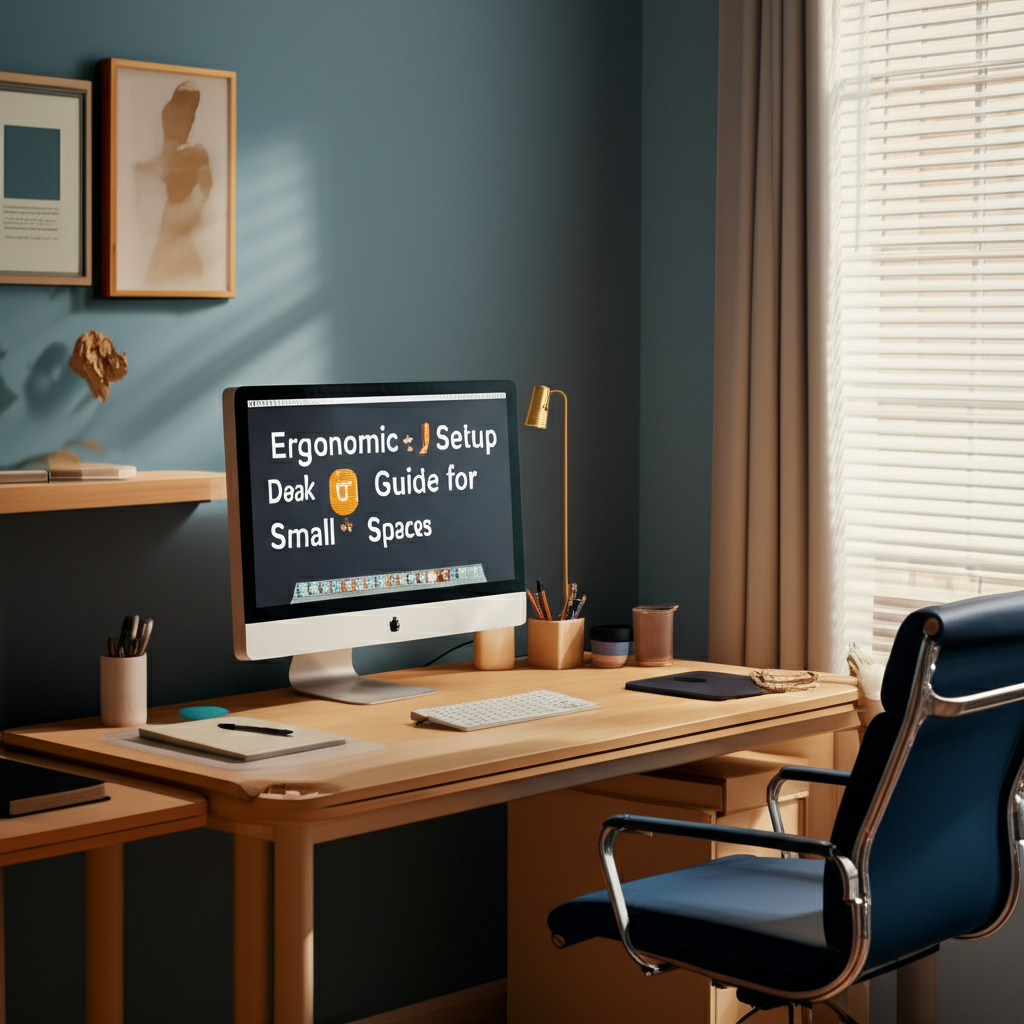
# Ergonomic Desk Setup Guide for Small Spaces That Works
Working from a compact room doesn’t mean you have to sacrifice comfort or productivity. Whether you’re setting up a home office in a studio apartment, converting a closet into a workspace, or carving out a corner in your bedroom, proper ergonomic desk positioning can transform even the tiniest area into an efficient and healthy workspace. The challenge isn’t just about fitting furniture into limited square footage—it’s about creating a setup that supports your body, enhances your focus, and prevents the aches and pains that come from poor posture.
Many people assume that ergonomic workspaces require generous amounts of room, specialized equipment, and significant financial investment. The truth is, smart positioning and strategic placement matter far more than the size of your space. By understanding key ergonomic principles and applying them creatively to compact environments, you can design a desk setup that rivals any spacious corporate office in terms of comfort and functionality.
This comprehensive guide will walk you through the essential strategies for positioning your desk ergonomically in small rooms. From optimizing natural light and minimizing glare to finding the perfect height and distance for your monitor, you’ll discover practical solutions that work within your space constraints. Get ready to turn your cramped corner into a productivity powerhouse that keeps your body aligned, your mind focused, and your workday pain-free.
## Understanding Ergonomic Fundamentals in Limited Square Footage
Before diving into specific positioning strategies, it’s crucial to understand what ergonomics means in the context of small spaces. Ergonomics is the science of designing workspaces that fit the worker’s physical needs, reducing strain and maximizing efficiency. In compact rooms, this means prioritizing the most critical elements that impact your body’s alignment and comfort throughout the workday.
The human body wasn’t designed for prolonged sitting, yet research indicates that office workers spend an average of 8 to 10 hours seated daily. Poor desk positioning compounds this problem, leading to musculoskeletal disorders, eye strain, and decreased productivity. In tight spaces, every inch matters, so focusing on proper alignment becomes even more essential than in larger offices where you have room for adjustments.
The good news is that ergonomic principles remain consistent regardless of room size. Your spine should maintain its natural curve, your arms should rest comfortably at keyboard level, and your eyes should align with the top third of your monitor. The challenge in compact rooms is achieving these positions while working within spatial constraints—and that’s exactly what smart positioning accomplishes.
## Strategic Desk Placement Within Your Room
Evaluating Your Available Space
Start by measuring your room dimensions and identifying potential desk locations. Corner placements often maximize floor space while providing adequate desk surface area. Walk around your room and consider these factors for each potential location:
- Distance from windows and natural light sources
- Proximity to electrical outlets and internet connections
- Traffic patterns and door swing clearance
- Wall space for mounting accessories or storage
- Ventilation and temperature control access
Don’t automatically place your desk against the most obvious wall. Sometimes positioning your desk perpendicular to a wall or floating it away from walls entirely creates better workflow and improves your spatial relationship with the room. In rooms smaller than 100 square feet, floating desks can actually make the space feel larger while maintaining ergonomic integrity.
Optimizing Natural Light Without Screen Glare
Window placement significantly impacts both your wellbeing and screen visibility. Natural light boosts mood, regulates circadian rhythms, and reduces eye fatigue. However, positioning your desk incorrectly relative to windows creates problematic glare and contrast issues that strain your eyes and reduce productivity.
The ideal desk position places windows perpendicular to your monitor rather than behind or in front of it. This configuration allows natural light to illuminate your workspace from the side, providing brightness without creating reflections on your screen. If perpendicular positioning isn’t possible in your compact room, consider these alternatives:
- Use sheer curtains or adjustable blinds to diffuse direct sunlight
- Position your monitor slightly angled away from the window
- Apply anti-glare screen protectors to your display
- Supplement with adjustable desk lamps for consistent lighting
## Achieving Proper Monitor Height and Distance
The 20-Inch Rule for Screen Distance
Your monitor distance directly affects eye strain, neck positioning, and overall comfort. Ergonomic guidelines recommend positioning your screen approximately 20 to 28 inches from your eyes—roughly an arm’s length away. In compact spaces where desk depth may be limited, achieving this distance requires creative solutions.
If your desk is shallower than 24 inches, consider using a monitor arm that extends backward or mounting your screen directly to the wall. Wall mounting frees up valuable desk surface while allowing precise distance adjustment. For laptop users in tight quarters, an external monitor positioned at the proper distance with a separate keyboard and mouse preserves ergonomic alignment without requiring excessive depth.
Getting Your Eye Level Right
Screen height is equally critical for preventing neck strain. The top of your monitor should align with or sit slightly below eye level when you’re seated with proper posture. This positioning keeps your neck in a neutral position and prevents the forward head posture that contributes to chronic pain.
In small spaces, monitor stands or adjustable arms provide height flexibility without consuming floor space. Even a simple stack of books can elevate your screen to the proper height if budget constraints limit your options. For dual monitor setups in compact areas, position your primary screen directly in front of you and angle the secondary display to minimize neck rotation.
## Keyboard and Mouse Positioning for Compact Desks
Your keyboard and mouse placement affects your shoulders, arms, and wrists—body parts particularly vulnerable to repetitive strain injuries. When properly positioned, your keyboard should sit at a height that allows your elbows to bend at approximately 90 degrees while your shoulders remain relaxed and your wrists stay straight.
In small desk setups, this often means choosing compact keyboards without number pads to reduce reach distance. Space-saving keyboard designs maintain full functionality while freeing up precious inches that make cramped workspaces more comfortable. Position your mouse directly beside your keyboard at the same height, close enough to reach without extending your arm or elevating your shoulder.
Consider keyboard trays if your desk height doesn’t accommodate proper arm positioning. Under-desk keyboard trays create the correct typing height while keeping your desk surface clear for documents, notebooks, or other materials you need within reach. In rooms where every square foot counts, this vertical space optimization makes a significant difference.
## Chair Selection and Positioning for Tight Spaces
Your chair is arguably the most important ergonomic component in any workspace. Proper chair positioning and adjustment compensate for many spatial limitations by bringing your body into correct alignment regardless of room size. The key ergonomic features to prioritize include:
- Adjustable seat height that allows feet to rest flat on the floor
- Lumbar support that maintains the natural curve of your lower back
- Seat depth that leaves 2 to 3 inches between seat edge and knees
- Armrests that support elbows at keyboard height without elevating shoulders
In compact rooms, consider chairs with smaller footprints and wheels that allow easy repositioning. Armless chairs or models with flip-up arms can tuck completely under desks when not in use, maximizing floor space. Despite size constraints, never compromise on lumbar support—back pain from poor seating posture affects productivity far more than slightly reduced floor space.
## Cable Management and Accessibility Solutions
Tangled cables and difficult-to-reach connections create frustration and safety hazards in any workspace. In compact rooms where movement space is already limited, proper cable management becomes essential for maintaining both safety and ergonomic access to your equipment.
Use cable clips, zip ties, or cable sleeves to route wires along desk legs or wall edges. Keeping cables organized and secured prevents tripping hazards while making it easier to adjust your desk position without creating tangled messes. Power strips mounted to the underside of your desk or wall keep outlets accessible without consuming valuable surface area.
Position frequently accessed ports and connections within easy reach to avoid awkward stretching or contorting your body. USB hubs and docking stations placed on your desk surface eliminate the need to reach behind monitors or under desks multiple times daily, reducing repetitive strain on your back and shoulders.
## Lighting Strategies for Small Workspace Ergonomics
Proper lighting prevents eye strain and headaches while supporting alertness and focus. Compact rooms often lack adequate overhead lighting, making task lighting essential for ergonomic workspaces. Layer your lighting with these approaches:
- Ambient lighting from ceiling fixtures or floor lamps for general illumination
- Task lighting from adjustable desk lamps directed at work surfaces
- Bias lighting behind monitors to reduce eye strain from screen contrast
Position task lights to illuminate your keyboard and documents without creating glare on your screen. LED desk lamps with adjustable color temperature allow you to customize lighting throughout the day, supporting your natural circadian rhythm even in windowless compact spaces.
## Maintaining Your Ergonomic Setup
Creating an ergonomic workspace is just the beginning. Regular assessment and adjustment ensure your setup continues meeting your needs as your body, work patterns, and equipment evolve. Schedule monthly checks of your positioning, making small adjustments before discomfort becomes chronic pain.
Remember that even perfect ergonomic positioning can’t eliminate the health risks of prolonged sitting. Take regular breaks to stand, stretch, and move, using these movement opportunities to step away from your compact workspace and give both your body and mind necessary rest.
## Conclusion: Transform Your Compact Workspace Into an Ergonomic Haven
Creating an ergonomic desk setup in a compact room isn’t just possible—it’s essential for protecting your health and maximizing productivity. The key principles remain the same regardless of space limitations: maintain proper monitor distance and height, position your keyboard and mouse to support neutral wrist and arm positions, invest in a quality chair with adequate lumbar support, and optimize lighting to reduce eye strain.
Throughout this guide, we’ve explored how strategic desk placement can maximize limited square footage while maintaining ergonomic integrity. Corner placements, floating desks, and perpendicular window positioning all offer solutions for achieving proper alignment within spatial constraints. Wall-mounted monitors, compact keyboards, and under-desk cable management free up valuable surface area without compromising the ergonomic fundamentals that protect your body from repetitive strain injuries.
Remember that small adjustments make significant differences over time. Positioning your monitor at arm’s length, elevating your screen to eye level, and ensuring your elbows bend at 90 degrees while typing are simple changes that prevent the chronic pain and discomfort that plague office workers spending hours at their desks daily. Even in rooms smaller than 100 square feet, these principles can be implemented effectively with creativity and intentional planning.
The investment you make in proper ergonomic positioning pays dividends in reduced pain, increased focus, and improved long-term health. Don’t view your compact room as a limitation—view it as an opportunity to create a highly efficient, carefully optimized workspace where every element serves a specific purpose in supporting your physical wellbeing.
Take action today to assess your current setup. Measure your monitor distance, check your screen height, evaluate your chair adjustments, and examine your lighting configuration. Identify the areas where your workspace falls short of ergonomic guidelines and prioritize changes based on which issues cause you the most discomfort. Start with free or low-cost solutions like repositioning furniture, adjusting existing equipment, or using books to elevate your monitor before investing in new gear.
Your body will thank you for the attention you give to proper positioning. Share this guide with colleagues and friends working in tight spaces, and remember that creating an ergonomic workspace is an ongoing process rather than a one-time project. As your needs change and new solutions become available, continue refining your setup to maintain optimal comfort and health. The compact room that once seemed like a limitation can become your most productive, comfortable workspace yet—all it takes is understanding the principles and applying them thoughtfully to your unique space.
