
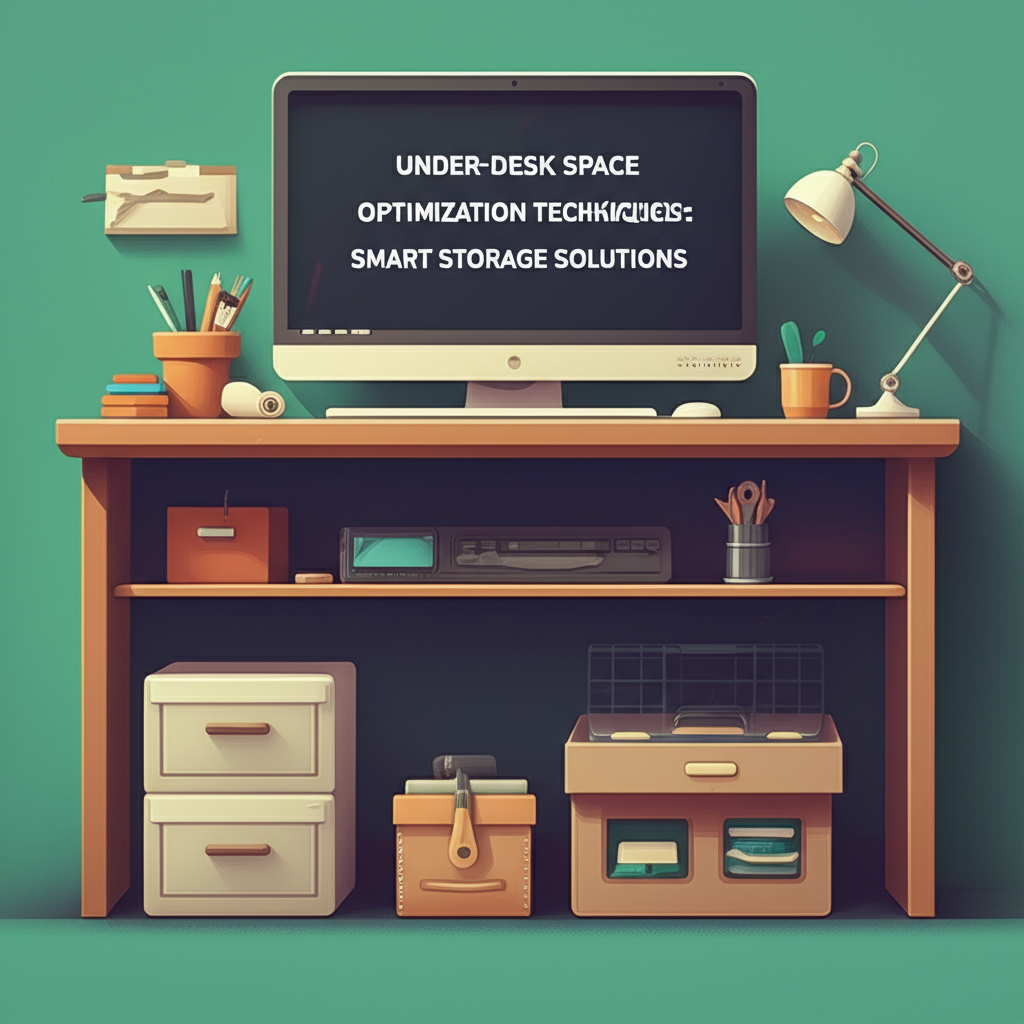
Look down at your workspace right now. Chances are, there’s a hidden goldmine of potential lurking beneath your desk—a space that’s either completely wasted or cluttered with tangled cables, forgotten boxes, and random items that have nowhere else to go. The area under your desk represents some of the most underutilized real estate in any home office or workspace, yet it holds incredible potential for transforming your productivity and workspace efficiency.
Whether you’re working from home in a compact apartment, managing a busy office setup, or simply trying to maximize every square inch of your available space, the zone beneath your desk can become a powerful organizational asset. Smart under-desk storage solutions not only help you reclaim valuable floor space but also keep essential items within arm’s reach, reduce visual clutter, and create a more professional, streamlined environment. The key is understanding how to strategically optimize this often-overlooked area without sacrificing legroom or comfort.
In this comprehensive guide, we’ll explore practical and innovative techniques for under-desk space optimization that work for various workspace configurations and budgets. From simple drawer systems and cable management hacks to creative shelving solutions and ergonomic considerations, you’ll discover how to transform that empty void into a well-organized storage powerhouse that enhances both your workspace functionality and aesthetic appeal.
Understanding Your Under-Desk Space Potential
Before diving into specific storage solutions, it’s essential to assess the actual space you’re working with beneath your desk. Most standard desks offer approximately 24 to 30 inches of vertical clearance, and this dimension plays a crucial role in determining what storage options will work best for your situation. Measuring your available space accurately prevents costly mistakes and ensures that any storage solutions you implement won’t interfere with your comfort or mobility.
Start by measuring three key dimensions: the height from floor to the underside of your desk, the width between any desk legs or support structures, and the depth from front to back. Remember to account for your own legroom requirements—most ergonomic guidelines recommend maintaining at least 20 to 24 inches of knee clearance. This assessment will help you identify the sweet spots where storage can be added without compromising your workspace comfort.
Essential Cable Management Systems
One of the primary culprits of under-desk chaos is cable clutter. With the average desk setup featuring multiple devices—computers, monitors, phones, printers, and various chargers—the tangle of cables can quickly become overwhelming. Effective cable management is the foundation of any successful under-desk optimization strategy, as it immediately creates visual order and frees up valuable space.
Cable Trays and Raceways
Cable trays mount directly to the underside of your desk and provide a dedicated channel for routing cables. These simple yet effective solutions keep power cords and data cables organized and elevated off the floor. Wire raceways offer a similar function with a more enclosed design, protecting cables from dust and damage while maintaining a cleaner appearance. Both options typically install with adhesive strips or mounting brackets, making them accessible for renters or those who prefer non-permanent solutions.
Velcro Straps and Cable Clips
For a more budget-friendly approach, velcro cable ties and adhesive cable clips provide excellent control over individual cords. Bundle similar cables together using velcro straps, which allow for easy adjustments when you need to add or remove devices. Adhesive cable clips can be strategically placed along desk legs or edges to guide cables exactly where you need them, preventing the dreaded cable waterfall effect that plagues so many workspaces.
Drawer and Shelf Solutions
Once cables are under control, the next step is implementing storage structures that maximize vertical and horizontal space beneath your desk. Strategic placement of drawers and shelves can dramatically increase your storage capacity while maintaining accessibility to frequently used items.
Rolling Drawer Units
Mobile drawer units offer exceptional versatility for under-desk storage. These wheeled cabinets typically feature two to three drawers and can be positioned anywhere beneath your desk or rolled out when you need to access their contents. The mobility factor is particularly valuable in shared workspaces or multi-functional rooms where furniture arrangements may need to change. Studies on workspace organization indicate that mobile storage solutions increase user satisfaction by approximately 40% compared to fixed storage options, primarily due to their adaptability.
Pull-Out Keyboard Trays and Storage Platforms
Installing a pull-out keyboard tray not only improves ergonomics but also frees up valuable desktop real estate. Some models include additional storage compartments perfect for pens, sticky notes, or small accessories. Similarly, sliding storage platforms can be mounted beneath your desk to hold items like notebooks, tablets, or even a small printer, keeping these essentials accessible yet out of sight.
Vertical Space Utilization
Most people focus on horizontal storage solutions, but leveraging vertical space beneath your desk can unlock significant additional capacity without encroaching on legroom. This approach is particularly effective for shallow desks or workspaces with limited floor area.
Hanging Organizers and Pegboards
Fabric hanging organizers with multiple pockets can be suspended from the underside of your desk or from side panels, creating storage for office supplies, headphones, chargers, and other small items. For a more industrial aesthetic, mounting a small pegboard to one side of your desk provides customizable storage through hooks and holders that can be rearranged as your needs change.
Under-Desk Hooks and Baskets
Simple adhesive or screw-mounted hooks transform wasted vertical space into practical storage zones for bags, headphones, or even your jacket. Wire or mesh baskets can similarly be mounted to desk sides or the underside of the desktop itself, offering quick-access storage for frequently referenced documents, charging cables, or personal items.
Specialized Storage for Specific Needs
Different professions and hobbies require different storage approaches. Customizing your under-desk space to match your specific workflow creates a more efficient and personalized workspace.
For Creative Professionals
Designers, artists, and creative workers often need quick access to various tools and materials. Consider installing shallow sliding drawers specifically sized for storing art supplies, design samples, or reference materials. Magnetic strips mounted beneath the desk can hold metal tools, while clear acrylic organizers allow you to see contents at a glance.
For Tech Enthusiasts
Those working with multiple devices benefit from dedicated charging stations and device storage. Under-desk power strips with USB ports keep all charging capabilities centralized, while padded dividers can safely store tablets, external hard drives, or backup keyboards. Some users report that organized tech storage reduces time spent searching for accessories by up to 30 minutes per week.
Ergonomic Considerations
While maximizing storage is important, maintaining ergonomic integrity should never be compromised. Poor under-desk organization can lead to awkward postures, restricted leg movement, and decreased circulation—all factors that contribute to discomfort and reduced productivity over time.
Always ensure that any storage solutions leave adequate clearance for your legs and feet. Your knees should have freedom to move without hitting obstacles, and your feet should rest flat on the floor or on a footrest without obstruction. If you use a footrest, plan your under-desk storage around it rather than trying to accommodate the footrest afterward. Additionally, frequently accessed items should be positioned where you can reach them without excessive twisting or bending, which can strain your back and shoulders.
Maintenance and Sustainability
Even the best organizational system will fail without regular maintenance. Establishing simple maintenance routines keeps your under-desk space functioning optimally and prevents the gradual return of clutter that plagues so many workspaces.
Schedule a quick five-minute audit of your under-desk area weekly to remove items that have migrated there unintentionally, check that cables remain properly secured, and wipe down surfaces. Monthly, conduct a more thorough review to reassess whether your current storage configuration still serves your needs or requires adjustment. This proactive approach prevents the accumulation of unnecessary items and ensures your organizational system evolves with your changing workflow requirements.
Remember that effective under-desk optimization is not about cramming maximum storage into every available inch—it’s about creating a balanced, functional system that supports your work while maintaining comfort and accessibility. By implementing these strategies thoughtfully and maintaining them consistently, you’ll transform that overlooked space into a valuable asset that enhances your entire workspace experience.
Conclusion: Transform Your Workspace from the Ground Up
Optimizing your under-desk space is one of the most impactful yet frequently overlooked strategies for creating a more productive and comfortable work environment. As we’ve explored throughout this guide, successful under-desk organization begins with careful measurement and assessment of your available space, ensuring that every storage solution you implement enhances rather than hinders your workspace functionality.
The key principles we’ve covered—from essential cable management systems that eliminate visual clutter and safety hazards, to strategic drawer and shelf solutions that maximize storage capacity—all work together to create a cohesive organizational ecosystem beneath your desk. By leveraging vertical space through hanging organizers, pegboards, and mounted baskets, you can dramatically increase your storage options without sacrificing precious legroom or ergonomic comfort.
Remember that customization is crucial. Whether you’re a creative professional requiring quick access to design tools, a tech enthusiast managing multiple devices, or someone simply seeking a cleaner, more organized workspace, tailoring your under-desk solutions to your specific needs will yield the greatest benefits. The most effective organizational systems are those that adapt to your unique workflow rather than forcing you to adapt to them.
Equally important is the commitment to maintaining your organizational system over time. Even the most thoughtfully designed storage solutions will deteriorate into chaos without regular maintenance. Those simple weekly five-minute audits and monthly reviews ensure that your under-desk space continues to serve you efficiently as your needs evolve.
Perhaps most critically, never sacrifice ergonomic considerations for additional storage. The 20 to 24 inches of knee clearance recommended by ergonomic guidelines isn’t merely a suggestion—it’s essential for your long-term health and comfort. An organized workspace that causes physical strain defeats its own purpose, ultimately reducing rather than enhancing your productivity.
Now it’s time to take action. Start by measuring your under-desk dimensions this week and identifying your most pressing organizational challenges. Is cable clutter your primary concern? Begin with simple velcro straps and cable clips. Do you need more storage for supplies? Consider a rolling drawer unit that offers both capacity and flexibility. Are you struggling with multiple devices? Implement a dedicated charging station with proper cable management.
Don’t feel pressured to transform your entire under-desk area overnight. Implement one solution at a time, allowing yourself to adjust to each change before adding the next. This incremental approach not only prevents overwhelm but also helps you identify what works best for your specific situation.
Take a moment right now to look beneath your desk. What changes could make the biggest immediate impact on your workspace comfort and efficiency? Commit to implementing just one strategy from this guide within the next week. Whether it’s bundling your cables, installing a simple hook for your bag, or ordering a mobile drawer unit, that first step will set you on the path toward a more organized, functional, and enjoyable workspace.
Your under-desk space represents untapped potential—a valuable asset waiting to contribute to your productivity and comfort. By applying the techniques outlined in this guide and maintaining them consistently, you’ll transform that often-neglected area into an integral component of a well-organized, efficient workspace that supports your success every single day.
