
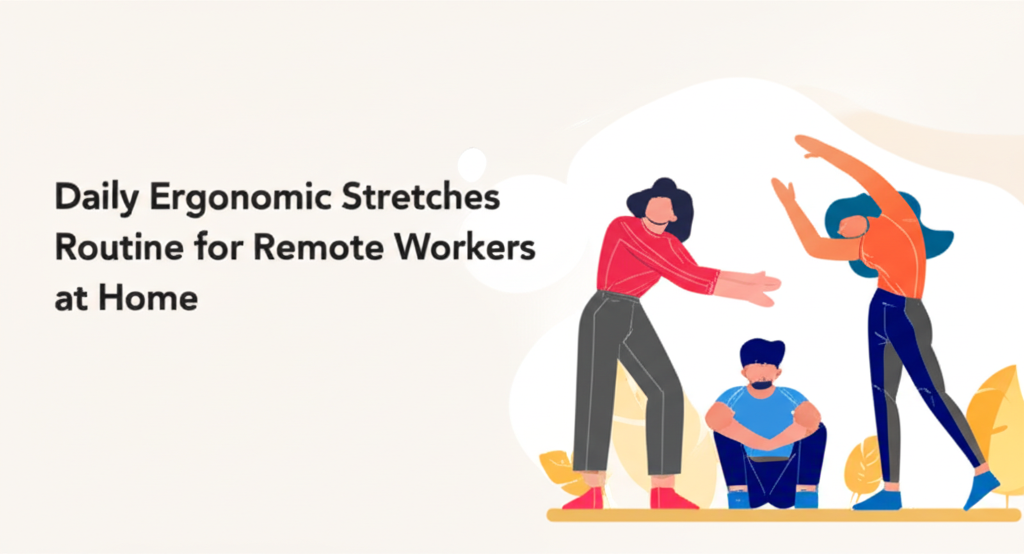
# Introduction
Working from home has transformed the modern workplace, but it’s also brought an unexpected companion: physical discomfort. If you’ve ever felt that nagging ache in your neck after hours at your makeshift home office, or noticed your shoulders creeping up toward your ears during video calls, you’re not alone. Remote workers spend an average of 8-10 hours daily in seated positions, often without the ergonomic furniture and structured breaks that traditional offices provide. This sedentary lifestyle, combined with poor posture and repetitive movements, creates the perfect storm for musculoskeletal issues that can impact both your productivity and quality of life.
The good news? You don’t need expensive equipment or a gym membership to combat these challenges. A simple daily stretching routine designed specifically for remote workers can dramatically reduce pain, improve flexibility, and boost your energy levels throughout the workday. These ergonomic stretches target the most commonly affected areas—your neck, shoulders, back, wrists, and hips—addressing the root causes of discomfort before they develop into chronic problems.
In this comprehensive guide, you’ll discover a practical stretch routine that fits seamlessly into your work-from-home schedule. Whether you’re working from a dedicated home office or your kitchen table, these exercises require minimal space and can be performed in comfortable clothing. By dedicating just 10-15 minutes to these stretches each day, you’ll notice improved posture, reduced tension, and enhanced focus—transforming your remote work experience from uncomfortable to sustainable and healthy.
# Understanding the Impact of Prolonged Sitting on Your Body
Before diving into the stretches themselves, it’s crucial to understand what happens to your body during extended periods of sitting. When you remain in a seated position for hours, certain muscle groups become shortened and tight while others become weak and overstretched. This muscular imbalance is the primary culprit behind the discomfort that plagues remote workers.
Your hip flexors, which connect your thigh bones to your lower back, remain in a shortened position throughout the day. Meanwhile, your glutes and core muscles become underactive, leading to poor posture and lower back strain. Studies indicate that approximately 80% of remote workers experience some form of back pain, with many cases directly linked to prolonged sitting and inadequate movement breaks.
The upper body tells a similar story. Hunching over keyboards and staring at screens causes your chest muscles to tighten while your upper back muscles stretch and weaken. This forward head posture can add up to 60 pounds of extra pressure on your spine, contributing to headaches, neck pain, and shoulder tension. Understanding these mechanisms helps you appreciate why targeted stretching isn’t just about feeling better—it’s about correcting fundamental postural imbalances.
## The Complete Daily Stretch Routine for Remote Workers
This routine is designed to be performed at least once daily, ideally during your mid-morning or mid-afternoon break. Each stretch should be held for 20-30 seconds and repeated 2-3 times per side when applicable. Remember to breathe deeply throughout each movement and never push into pain.
### Neck and Shoulder Stretches
Neck Tilts and Turns
Begin with gentle neck stretches to release tension that accumulates from looking at screens. Slowly tilt your head to the right, bringing your ear toward your shoulder without lifting the shoulder itself. You should feel a comfortable stretch along the left side of your neck. Hold this position, then repeat on the opposite side. Follow this with gentle neck rotations, turning your head to look over each shoulder while keeping your chin level.
Shoulder Rolls and Shrugs
These simple movements help reset your shoulder position and release accumulated tension. Roll your shoulders backward in large, controlled circles ten times, then reverse the direction. Follow with shoulder shrugs, lifting both shoulders toward your ears, holding for three seconds, then releasing with an exhale. This combination increases blood flow to the shoulder area and reminds your body of proper shoulder placement.
Doorway Chest Stretch
This powerful stretch counteracts the forward-rounded posture common among remote workers. Stand in a doorway with your forearms against the door frame, elbows at shoulder height. Step one foot forward and gently lean into the stretch, feeling the opening across your chest and front shoulders. This stretch targets the pectoralis muscles that become chronically tight from computer work, helping restore balance to your upper body.
### Back and Spine Stretches
Seated Spinal Twist
While sitting in your chair, place your right hand on the outside of your left knee. Gently rotate your torso to the left, using your hand for leverage while keeping your hips square. Look over your left shoulder to complete the twist. This movement increases spinal mobility and helps alleviate the compression that builds up during sitting. The twisting motion also stimulates digestion and energizes your entire core.
Cat-Cow Stretch
Though traditionally performed on hands and knees, you can adapt this stretch for your office chair. Sit at the edge of your seat with feet flat on the floor. On an inhale, arch your back and lift your chest, looking slightly upward (cow position). On an exhale, round your spine and drop your head forward (cat position). This flowing movement mobilizes every segment of your spine, counteracting the static positions held during work hours.
Child’s Pose
When you need a more comprehensive back stretch, move to the floor for child’s pose. Kneel down, sit back on your heels, and extend your arms forward while lowering your chest toward the ground. This gentle stretch elongates the entire spine from tailbone to neck, providing relief for the lower back while also stretching the shoulders and arms. Child’s pose is particularly effective for decompressing the spine after long sitting sessions.
### Hip and Lower Body Stretches
Hip Flexor Stretch
The hip flexor stretch directly addresses one of the biggest problems remote workers face: chronically tight hip flexors. From a kneeling position, step your right foot forward into a lunge, keeping your left knee on the ground (use a cushion for comfort). Gently press your hips forward while maintaining an upright torso. You should feel a stretch in the front of your left hip and thigh. This stretch is essential for preventing lower back pain and maintaining proper pelvic alignment.
Seated Figure-Four Stretch
This targets your glutes and outer hips, areas that become tight and weak from sitting. While seated, cross your right ankle over your left knee, creating a figure-four shape. Keep your back straight and gently lean forward from your hips until you feel a stretch in your right glute and hip. This stretch improves hip mobility and can alleviate sciatic nerve irritation caused by tight piriformis muscles.
Standing Quad Stretch
Stand near a wall for balance, bend your right knee, and bring your heel toward your glutes. Grasp your ankle or foot with your right hand and gently pull while keeping your knees together. This stretch releases tension in the quadriceps, which can contribute to knee pain and poor posture when tight.
### Wrist and Forearm Stretches
Wrist Extensions and Flexions
Extend your right arm forward with palm facing up. Use your left hand to gently pull your right fingers back toward your body, stretching the underside of your forearm. Hold, then flip your hand so the palm faces down and press your fingers toward the floor, stretching the top of your forearm. These stretches are crucial for preventing repetitive strain injuries associated with keyboard and mouse use.
Prayer Stretch
Place your palms together in a prayer position in front of your chest. Slowly lower your hands toward your waist while keeping your palms pressed together, elbows pointing outward. This stretch targets the wrists and forearms from a different angle, promoting flexibility and reducing the risk of carpal tunnel syndrome.
## Creating Your Stretching Schedule
Consistency is more important than duration when it comes to stretching. Rather than attempting lengthy sessions sporadically, integrate these stretches into your daily routine at strategic intervals. Consider performing the neck and shoulder stretches every two hours, the back and hip stretches during your lunch break, and the wrist stretches after every hour of typing.
Set reminders on your phone or use productivity apps designed for remote workers that prompt regular movement breaks. Many remote professionals find success by pairing stretches with existing habits—for example, stretching while coffee brews or during the transition between meetings. The key is making these movements as automatic as checking your email, embedding them into your workday rather than treating them as an optional extra.
## Conclusion
The transition to remote work doesn’t have to mean sacrificing your physical well-being. By implementing this daily ergonomic stretch routine, you’re taking proactive steps to prevent the musculoskeletal issues that affect countless remote workers. These stretches require minimal time investment but deliver substantial returns in comfort, productivity, and long-term health. Remember that consistency trumps intensity—even a few minutes of targeted stretching performed regularly will yield better results than occasional lengthy sessions. Start incorporating these movements today, and within weeks you’ll notice reduced pain, improved posture, and increased energy throughout your workday. Your body will thank you for the investment.
## Conclusion
Working remotely offers incredible flexibility and convenience, but it shouldn’t come at the expense of your physical health. As we’ve explored throughout this guide, prolonged sitting creates muscular imbalances that affect your entire body—from tight hip flexors and weakened glutes to rounded shoulders and strained neck muscles. The good news is that these issues are entirely preventable with a consistent daily stretching routine.
The comprehensive stretch routine outlined above targets every area affected by desk work: neck and shoulders, spine and back, hips and lower body, and wrists and forearms. Each stretch is designed to counteract the specific postural problems that remote workers face, helping you maintain proper alignment, reduce pain, and prevent long-term musculoskeletal damage. By dedicating just 10-15 minutes to these movements each day, you’re investing in your ability to work comfortably and productively for years to come.
Remember that the key to success lies not in performing marathon stretching sessions, but in building consistent habits. Integrate these stretches into your daily workflow by setting reminders, pairing them with existing routines, and treating them as non-negotiable appointments with your health. Whether you perform the full routine during your lunch break or spread individual stretches throughout the day, consistency will deliver the results you’re seeking.
Don’t wait for pain to become unbearable before taking action. Start implementing these stretches today—choose just three exercises from this guide and commit to performing them during your next work break. Notice how your body feels, observe the immediate relief from tension, and build from there. Share this routine with fellow remote workers who might be struggling with similar discomfort. Your future self will thank you for making ergonomic stretching a priority now rather than waiting until chronic pain forces you to act.
Take control of your remote work wellness journey today. Set your first stretching reminder right now, print this guide for easy reference, and commit to moving your body regularly throughout your workday. Your comfort, productivity, and long-term health are worth the investment.
